
OneDrive vs Google Drive 2025: Complete Comparison Guide

Callum specializes in breaking down complex technology topics into easy-to-understand guides. He has a background in computer science and technical writing.
OneDrive vs Google Drive 2025: Complete Comparison Guide
Comprehensive analysis of features, pricing, security, and performance to help you choose the best cloud storage for your needs
Cloud storage has become essential for both personal and professional use. OneDrive and Google Drive are two leading platforms, each with unique strengths. This comprehensive 2025 comparison will help you make an informed decision based on your specific requirements.
📋 Table of Contents
Platform Overview
Both OneDrive and Google Drive offer robust cloud storage solutions, but they're built on different ecosystems and philosophies.
Microsoft OneDrive
- Deeply integrated with Microsoft 365 ecosystem
- Native Windows 11 integration
- Strong enterprise and business features
- Personal Vault for sensitive files
- Real-time collaboration with Office apps
Google Drive
- Seamless integration with Google Workspace
- Powerful AI-powered search capabilities
- Excellent web-based applications
- Strong Android device integration
- Generous free storage options
Storage & Pricing Comparison
| Plan | OneDrive | Google Drive |
|---|---|---|
| Free Storage | 5 GB | 15 GB |
| Basic Paid | $1.99/mo (100 GB) | $1.99/mo (100 GB) |
| Standard | $6.99/mo (1 TB + M365) | $2.99/mo (200 GB) |
| Premium | $9.99/mo (1 TB Family) | $9.99/mo (2 TB) |
| Business Basic | $6/user/mo (1 TB) | $6/user/mo (30 GB) |
| Business Standard | $12.50/user/mo | $12/user/mo (2 TB) |
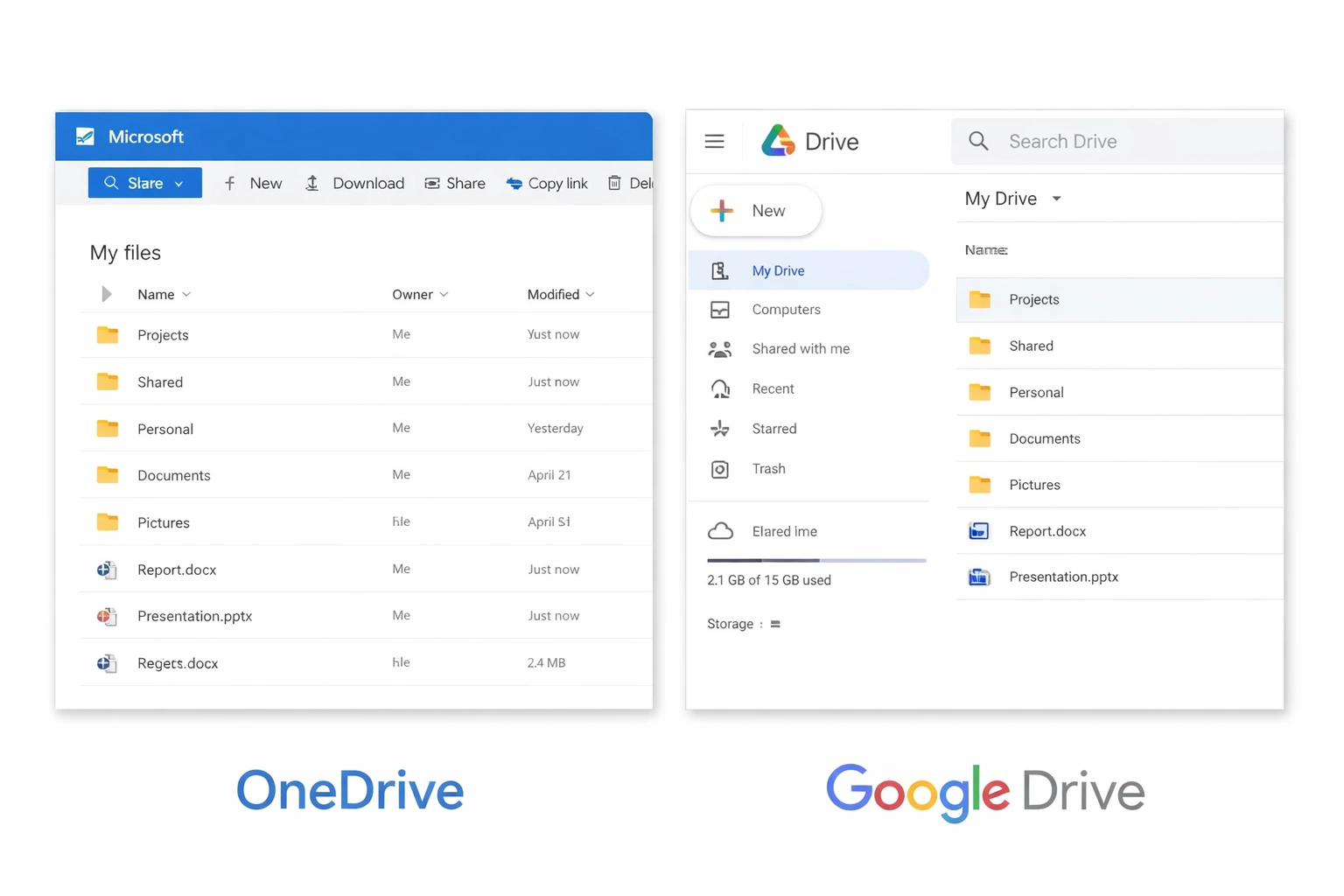
Google Drive offers more free storage (15 GB vs 5 GB), but OneDrive's paid plans include Microsoft 365 apps, making them better value for Office users. Google Drive's standalone storage is more affordable for those who don't need productivity apps.
Feature Comparison
File Sync & Access
| Feature | OneDrive | Google Drive |
|---|---|---|
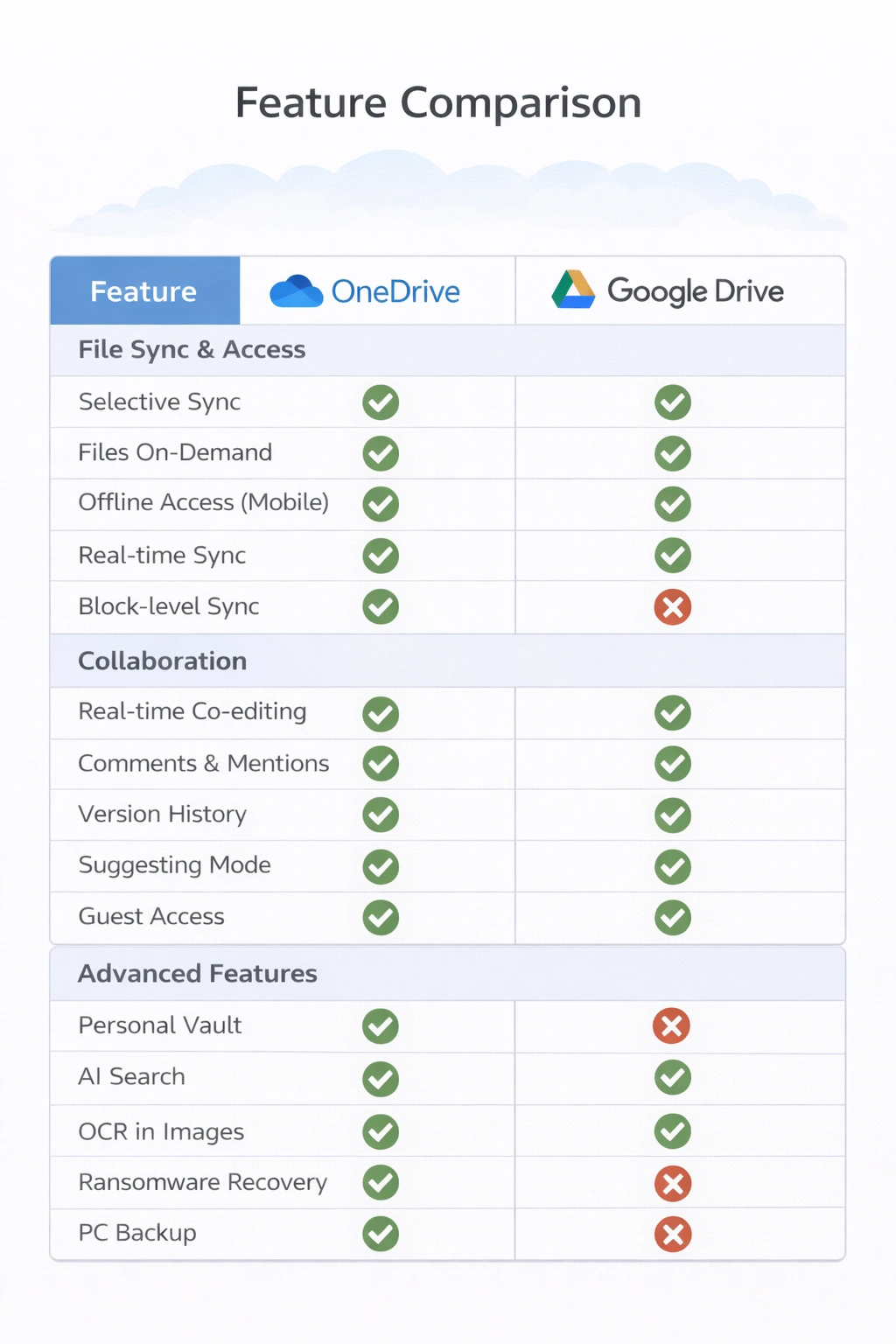
| Selective Sync | ||
| Files On-Demand | ||
| Offline Access (Mobile) | ||
| Real-time Sync | ||
| Block-level Sync |
Collaboration
| Feature | OneDrive | Google Drive |
|---|---|---|
| Real-time Co-editing | ||
| Comments & Mentions | ||
| Version History | ||
| Suggesting Mode | ||
| Guest Access |
Advanced Features
| Feature | OneDrive | Google Drive |
|---|---|---|
| Personal Vault | ||
| AI Search | ||
| OCR in Images | ||
| Ransomware Recovery | ||
| PC Backup |
Security & Privacy
Encryption
AES 256-bit at rest, TLS in transit
AES 256-bit at rest, TLS in transit
Two-Factor Authentication
Yes, with Microsoft Authenticator
Yes, with Google Authenticator
Personal Vault
Extra layer of protection with identity verification
Not available
Ransomware Detection
Built-in detection and file recovery
Limited protection
Admin Controls
Extensive with Microsoft 365 Admin Center
Comprehensive with Google Admin Console
Compliance
GDPR, HIPAA, SOC 1/2, ISO 27001
GDPR, HIPAA, SOC 1/2/3, ISO 27001
Privacy Note: Both services scan files for malware. Google may use data to improve services and show ads in free tier. Microsoft has similar practices but offers more privacy controls in business plans.
Ecosystem Integration
OneDrive Integrations
- Windows 11 native file explorer integration
- Microsoft 365 apps (Word, Excel, PowerPoint, Outlook)
- Microsoft Teams collaboration
- SharePoint document libraries
- Xbox game saves and settings
- Windows backup and restore
Google Drive Integrations
- Google Docs, Sheets, Slides native support
- Gmail attachment integration
- Google Photos storage
- Google Meet file sharing
- Android device backup
- Chrome OS native storage
- Third-party app ecosystem
Choose based on your ecosystem: OneDrive for Microsoft/Windows users, Google Drive for Google Workspace/Android users.
Performance & Reliability
| Metric | OneDrive | Google Drive |
|---|---|---|
| Upload Speed | Excellent with block-level sync | Very Good |
| Download Speed | Excellent | Excellent |
| Sync Reliability | Very reliable with occasional conflicts | Highly reliable |
| Web App Performance | Good, requires more resources | Excellent, lightweight |
| Mobile App | Good on all platforms | Excellent, especially Android |
| Uptime (2024) | 99.97% | 99.99% |
Best Use Cases
Choose OneDrive If You:
- Use Windows 11 as your primary OS
- Work with Microsoft 365 applications daily
- Need seamless SharePoint integration
- Want enhanced security with Personal Vault
- Require PC backup and ransomware protection
- Work in a Microsoft-centric enterprise
Choose Google Drive If You:
- Prefer web-based applications
- Use Android devices primarily
- Want more free storage (15 GB vs 5 GB)
- Rely on Google Workspace for collaboration
- Need powerful AI-driven search
- Work with many third-party integrations
Final Verdict: Which Should You Choose?
Both platforms are excellent choices, but the best option depends on your existing ecosystem and specific needs.
Native integration, included with M365 subscriptions, Personal Vault security
Seamless integration, excellent web apps, AI-powered features
More free storage, affordable standalone plans
Personal Vault, ransomware protection, better privacy controls
Both work well across platforms; consider using both for different purposes
In 2025, you can't go wrong with either service. Consider your workflow, existing subscriptions, and which ecosystem you're most invested in. Many power users successfully use both services for different purposes.