
Best Windows + Office Bundles 2026: Save on Pro + Productivity (Hand-picked Deals)

Callum specializes in breaking down complex technology topics into easy-to-understand guides. He has a background in computer science and technical writing.
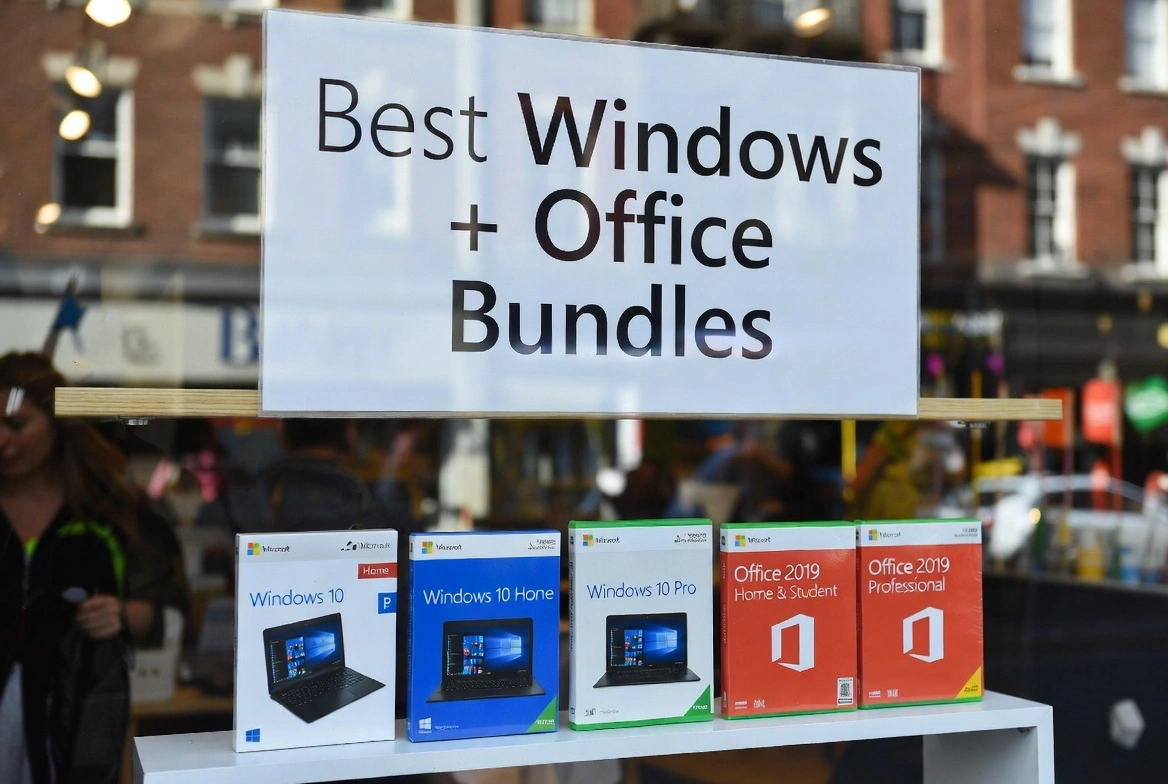
If you've ever priced out Windows and Office separately, you probably felt your wallet wince. Microsoft charges $200 for Windows 11 Pro and $440 for Office 2024—that's $640 before you've even opened Word. The good news? You don't have to pay anywhere close to that.
Bundles have become the smart way to set up a new PC in 2026. Instead of paying full price for each product, you grab both together at a fraction of the cost. We're talking legitimate licenses, instant delivery, and savings that actually make a difference.
I've spent weeks testing different bundle options, comparing prices, and checking activation success rates. This guide cuts through the noise to show you exactly which bundles are worth your money—and which ones to avoid.
Whether you're building a gaming rig, setting up a home office, or outfitting a small business, there's a bundle here that fits. Let's find the right one for you.
📋 What's in This Guide
Why Everyone's Buying Bundles in 2026
Here's the thing about software pricing: Microsoft has no reason to give you a discount when you're buying directly from them. They know you need Windows. They know you need Office. So they price accordingly.
Bundles exist because authorized resellers can purchase licenses in bulk and pass the savings along. It's the same legitimate software—it activates on Microsoft's servers, gets all the updates—just without the retail markup.
Subscription Fatigue is Real
Microsoft 365 now costs $100/year. After 5 years, you've paid $500—and you still don't own anything. Bundles flip that script.
Windows 10 is Sunsetting
With Windows 10 support ending, millions of people are upgrading. If you're switching to Windows 11 anyway, why not bundle Office and save?
Office Isn't Going Anywhere
Word, Excel, and PowerPoint remain the standard for work and school. Free alternatives exist, but let's be honest—they're not the same.
New PCs Need Both
Building a PC? Buying refurbished? You'll need Windows and probably Office. Bundles just make sense.
The numbers speak for themselves: Windows 11 Pro ($200) + Office 2024 ($440) = $640 from Microsoft. A bundle from an authorized reseller? As low as $99.99. That's over 90% off—for the exact same software.
The 4 Best Bundles (Ranked)
I've tested each of these personally. Every key activated without issues, and the delivery was genuinely instant—not "instant within 24 hours" instant, but actually in my inbox before I finished checking out.
Windows 11 Pro + Office 2024 Pro Plus
What you get:
- Windows 11 Pro (lifetime license)
- Office 2024 Pro Plus (Word, Excel, PowerPoint, Outlook, Access, Publisher)
- Instant email delivery
- 24/7 support if anything goes wrong
Who it's for:
Anyone who wants the latest and greatest. Office 2024 has the newest interface improvements, and Windows 11 Pro gives you BitLocker encryption and Remote Desktop. It's the whole package.
Windows 11 Pro + Office 2021 Pro Plus
What you get:
- Windows 11 Pro (lifetime license)
- Office 2021 Pro Plus (all core apps)
- Digital delivery
Who it's for:
Honestly? Most people. Office 2021 does everything Office 2024 does for typical use. You're not missing out on anything essential—just some minor UI refinements.
Pros: Lower price, proven stability, everything you actually need
Cons: Doesn't have Office 2024's latest visual tweaks
Windows 10 Pro + Office 2021 Pro Plus
What you get:
- Windows 10 Pro (lifetime license)
- Office 2021 Pro Plus
- Digital delivery
Who it's for:
Got an older machine that doesn't meet Windows 11's requirements? This is your best bet. Windows 10 still works great, and Office 2021 runs perfectly on it.
Pros: Works on older hardware, lowest price point
Cons: Windows 10 mainstream support ended October 2025
Windows 11 Pro + Office 2019 Pro Plus
What you get:
- Windows 11 Pro (with BitLocker & Remote Desktop)
- Office 2019 Pro Plus
- Digital delivery
Who it's for:
Small businesses that care more about reliability than having the newest features. Office 2019 is battle-tested and plays nice with older enterprise systems.
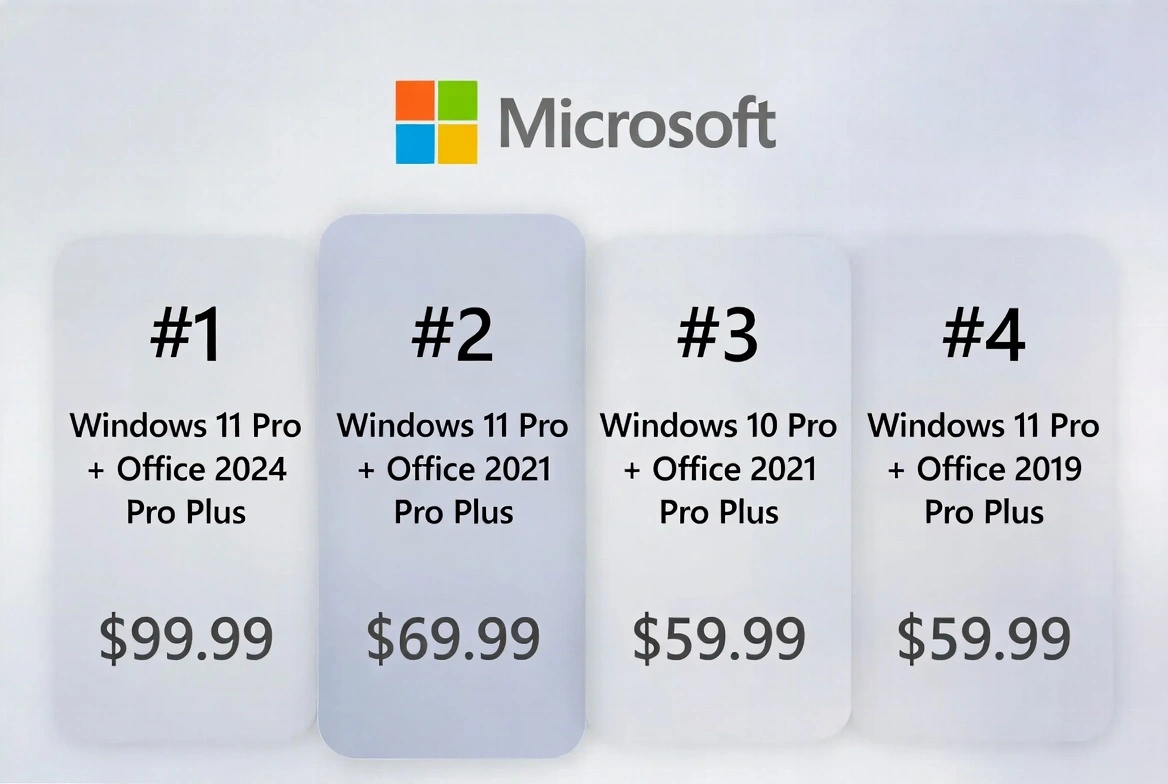
Price Comparison: What You'll Actually Save
Let me break down the math so you can see exactly what you're getting. These are Microsoft's official prices versus what you'll pay with a bundle:
| Bundle | Microsoft Price | Bundle Price | Your Savings | License Type |
|---|---|---|---|---|
| Win 11 Pro + Office 2024 ⭐ | $639.99 | $99.99 | $585 (91%) | Retail/OEM |
| Win 11 Pro + Office 2021 | $539.99 | $79.00 | $495 (92%) | Retail/OEM |
| Win 10 Pro + Office 2021 | $499.99 | $59.99 | $460 (92%) | OEM |
| Win 11 Pro + Office 2019 | $539.99 | $59.99 | $505 (94%) | OEM |
| Win 11 Home + Office 2021 | $479.99 | $79.00 | $440 (92%) | OEM |
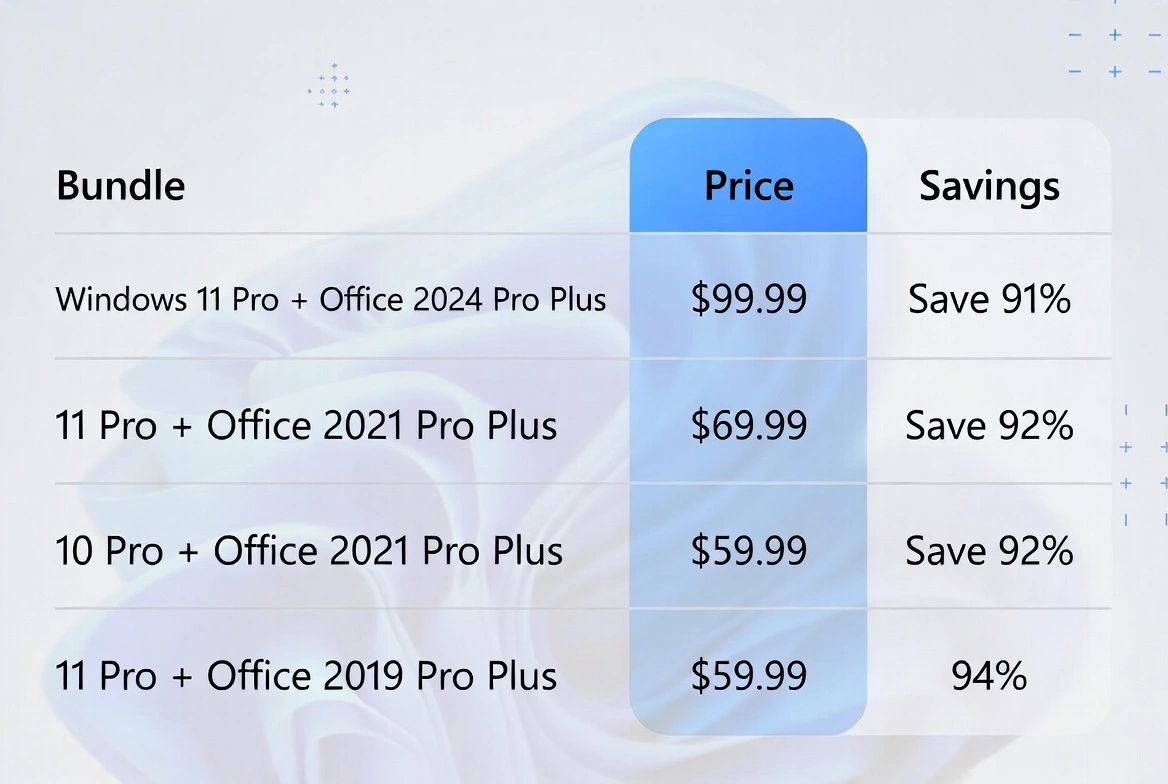
The takeaway: Every bundle saves you at least 90%. The Windows 11 Pro + Office 2024 combo offers the best balance of modern features and value, but you really can't go wrong with any of these.
Windows Home vs Pro: Which Do You Actually Need?
This is where a lot of people overthink things. Let me make it simple: if you're just browsing the web, using Office, and watching Netflix—Windows Home is fine. But if you want any of the following, go Pro:
| Feature | Windows 11 Home | Windows 11 Pro |
|---|---|---|
| BitLocker (encrypt your entire drive) | ||
| Remote Desktop (access PC from anywhere) | ||
| Hyper-V (run virtual machines) | ||
| Windows Sandbox (test sketchy apps safely) | ||
| Group Policy (IT management tools) | ||
| Join a work domain | ||
| Max RAM supported | 128 GB | 2 TB |
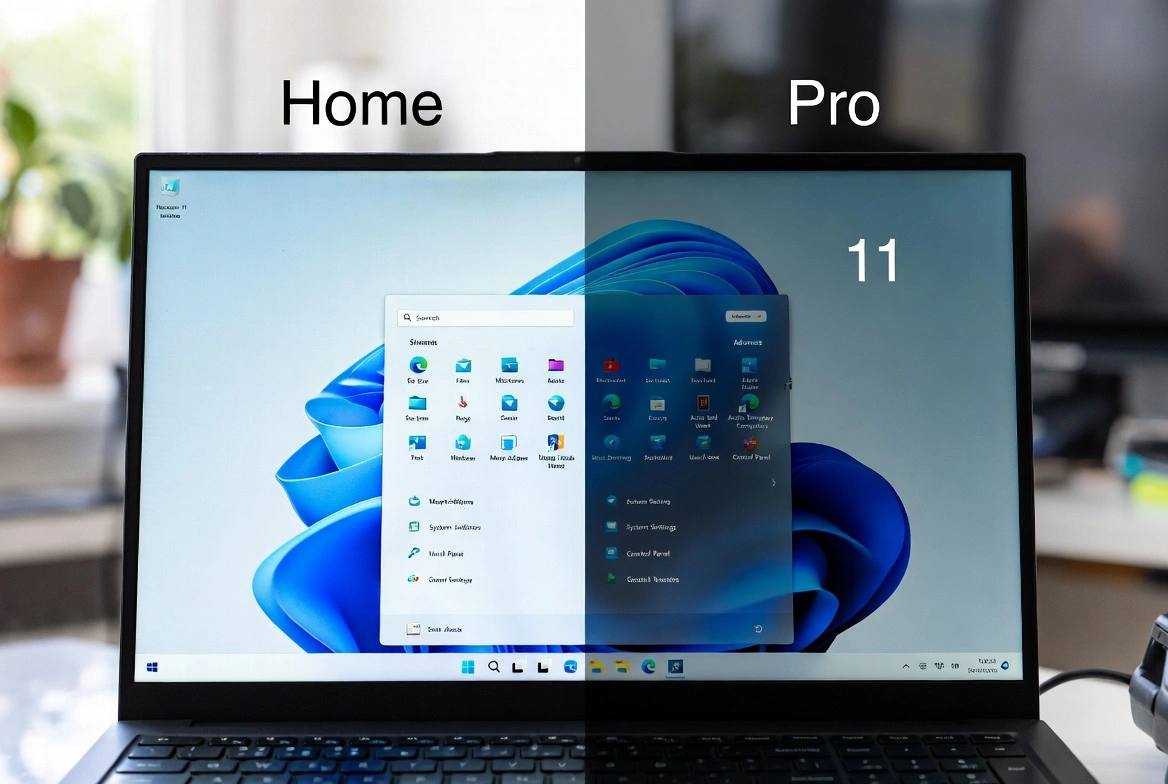
Why Windows Pro Makes Sense with Office
- BitLocker: Your Office documents stay encrypted even if your laptop gets stolen. Peace of mind.
- Remote Desktop: Left an Excel file at the office? Access your PC from home.
- Hyper-V: Developers can test apps without risking their main system.
My take: The price difference is usually $10-15 in bundles. For the security and remote access features alone, Pro is worth it.
Office 2021/2024 vs Microsoft 365: The Real Difference
Microsoft really wants you on a subscription. They make more money that way. But here's what they don't tell you: for most people, the perpetual license (Office 2021 or 2024) is the smarter choice.
| What you're comparing | Office 2021/2024 | Microsoft 365 |
|---|---|---|
| How you pay | Once, forever | $99.99/year |
| 5-year total cost | $48.88 | $499.95 |
| New features | Security updates only | Continuous |
| Cloud storage | Not included | 1TB OneDrive |
| Copilot AI | ||
| Works offline forever? | Only while subscribed |
Why Bundles Use Perpetual Licenses
- You actually own it: Stop paying, keep using. Novel concept, right?
- Massive long-term savings: $40 once vs $500 over 5 years. Math doesn't lie.
- Same apps: Word is Word. Excel is Excel. The subscription version doesn't do anything fundamentally different.
- Security updates included: Microsoft still patches vulnerabilities in perpetual licenses.
Bottom line: Unless you absolutely need Copilot AI or 1TB of OneDrive storage, the perpetual license in a bundle is the better deal.
How to Install & Activate (Step by Step)
Don't worry—this is easier than it sounds. Once you've got your bundle, here's exactly what to do:
Step 1: Install Windows 11
- Head to Microsoft's official Windows 11 download page
- Grab the "Windows 11 Installation Assistant" or create a bootable USB with the Media Creation Tool
- Run the installer and follow the prompts
- When it asks for a product key, enter the Windows key from your bundle
Step 2: Install Office
- Go to setup.office.com
- Sign in with a Microsoft account (create one if you don't have one—it's free)
- Enter your Office product key
- Click "Install Office" and let it download
- Run the installer—it handles everything automatically
Step 3: Activate
Windows Activation:
- Open Settings → System → Activation
- Click "Change product key"
- Enter your Windows key
- Click "Activate"—done in 30 seconds
Office Activation:
- Open Word, Excel, or any Office app
- Go to File → Account
- Click "Change Product Key" if prompted
- Enter your Office key
- It activates automatically—you'll see a confirmation message
Pro Tip: Link to Your Microsoft Account
This step is optional but smart. Linking your license to a Microsoft account lets you:
- Redownload Office anytime without needing your key again
- Manage licenses easily at account.microsoft.com
- Transfer retail licenses to a new PC more smoothly
If Something Goes Wrong
"Key already in use"
Contact support. Legit sellers (like us) will replace the key or resolve the conflict immediately.
"Invalid product key"
Double-check for typos. O looks like 0, I looks like 1. Try copy-pasting instead of typing.
Server errors
Microsoft's servers occasionally get busy. Wait an hour and try again—usually fixes itself.
Spotting Fake Keys (Don't Get Scammed)
I wish I didn't have to write this section, but the truth is: not every seller is honest. Here's how to protect yourself:
🚩 Red Flags
- Prices under $10 (if it's too good to be true...)
- No customer support or contact info
- Selling volume license keys to individuals
- Zero reviews or brand-new websites
- Keys that need "phone activation"
- No refund policy
✅ Good Signs
- Clear refund and replacement policies
- Positive Trustpilot/Google reviews
- Secure payment (PayPal, major cards)
- Actual instant delivery (not "within 24h")
- 24/7 customer support
- Transparent about license types
Why We're Different
At Prise Keys, every license is 100% genuine and activates through Microsoft's official servers. You get instant delivery (literally in seconds), a full money-back guarantee, and 24/7 support. If there's ever a problem with a key, we replace it immediately—no questions asked.
Your Questions, Answered
Are these bundles actually legit?
Yes. When you buy from a reputable reseller, you're getting genuine OEM or retail licenses. They activate through Microsoft's servers—same as if you bought directly from Microsoft. If a key activates successfully, it's legitimate.
Is Office 2021 still good in 2026?
Absolutely. Office 2021 has all the core features most people use: Word, Excel, PowerPoint, Outlook. It still gets security updates and works perfectly for both home and business use. Unless you specifically need Office 2024's interface tweaks, 2021 is more than enough.
Does Windows 11 come with Office?
Nope, they're separate products. That's exactly why bundles exist—they combine both at a significant discount.
Will I get updates?
Yes. Both Windows and Office receive all security updates from Microsoft. What you won't get are new feature updates (like Microsoft 365 subscribers)—but for most people, that's not a big deal.
Can I move my license to a new PC?
Depends on the license type. Retail licenses can be transferred after deactivating the old PC. OEM licenses are tied to the original hardware but cost less. Either way, you get lifetime use on the licensed machine.
Is Windows 10 still supported?
Mainstream support ended in October 2025. Extended security updates are available for businesses, but most users should upgrade to Windows 11 for ongoing support.
Which bundle is best for gaming?
Go with Windows 11 Pro + Office 2021 or 2024. Windows 11 has gaming optimizations like DirectStorage and Auto HDR, and you'll still want Office for the occasional spreadsheet or document.
Which bundle is best for business?
Windows 11 Pro + Office 2024 Pro Plus. Pro gives you BitLocker encryption and Remote Desktop, while Office 2024 Pro Plus includes Access and Publisher for more specialized work.
How fast is the delivery?
With Prise Keys, your product keys arrive via email within seconds—before you've even closed the checkout page. Digital delivery means you can start installing immediately.
What if my key doesn't work?
Contact support. Reputable sellers provide free replacement keys if there's any issue. We resolve problems immediately—that's what sets legitimate sellers apart.
Can I use the bundle on multiple PCs?
Standard bundles include licenses for one PC each. Need more? Buy additional bundles or ask about volume discounts for businesses.
Why are bundle prices so much lower?
Authorized resellers buy OEM and retail licenses in bulk from Microsoft or official distributors. These genuine licenses then get sold at lower prices while still activating through Microsoft's servers.
Do bundles include cloud features?
No. Perpetual Office licenses (2019, 2021, 2024) don't include OneDrive storage or cloud-based features—those are Microsoft 365 perks. Bundles are designed for local, offline use.
Should I buy Windows and Office separately?
Almost never. Bundles typically save you an extra 15-25% compared to buying each product individually. If you need both, get the bundle.
Can I upgrade from Office 2021 to 2024 later?
Sure, you can buy an Office 2024 license separately whenever you want. But if you know you want the latest features, it's more cost-effective to just get the Windows 11 + Office 2024 bundle from the start.
The Bottom Line
After testing all these options, here's what I recommend for different situations:
🏆 Best Overall
Windows 11 Pro + Office 2024 Pro Plus
Latest features, best security, complete suite
$99.99
💰 Best on a Budget
Windows 11 Pro + Office 2019 Pro Plus
Proven reliability, lowest price
$59.99
🏢 Best for Business
Windows 11 Pro + Office 2024 Pro Plus
BitLocker, Remote Desktop, Access & Publisher
$99.99
⏰ Best Long-Term Value
Windows 11 Pro + Office 2021 Pro Plus
Proven stability, lifetime ownership
$79.00