
Best Office Alternatives Under $50: One-Time Purchase Options (2025)

Callum specializes in breaking down complex technology topics into easy-to-understand guides. He has a background in computer science and technical writing.
Best Office Alternatives Under $50: One-Time Purchase Options
Tired of monthly Microsoft 365 subscriptions? Discover budget-friendly alternatives to Microsoft Office that you can buy once and use forever. No recurring payments, full features, and great value for your money.
Why Avoid Office 365 Subscriptions?
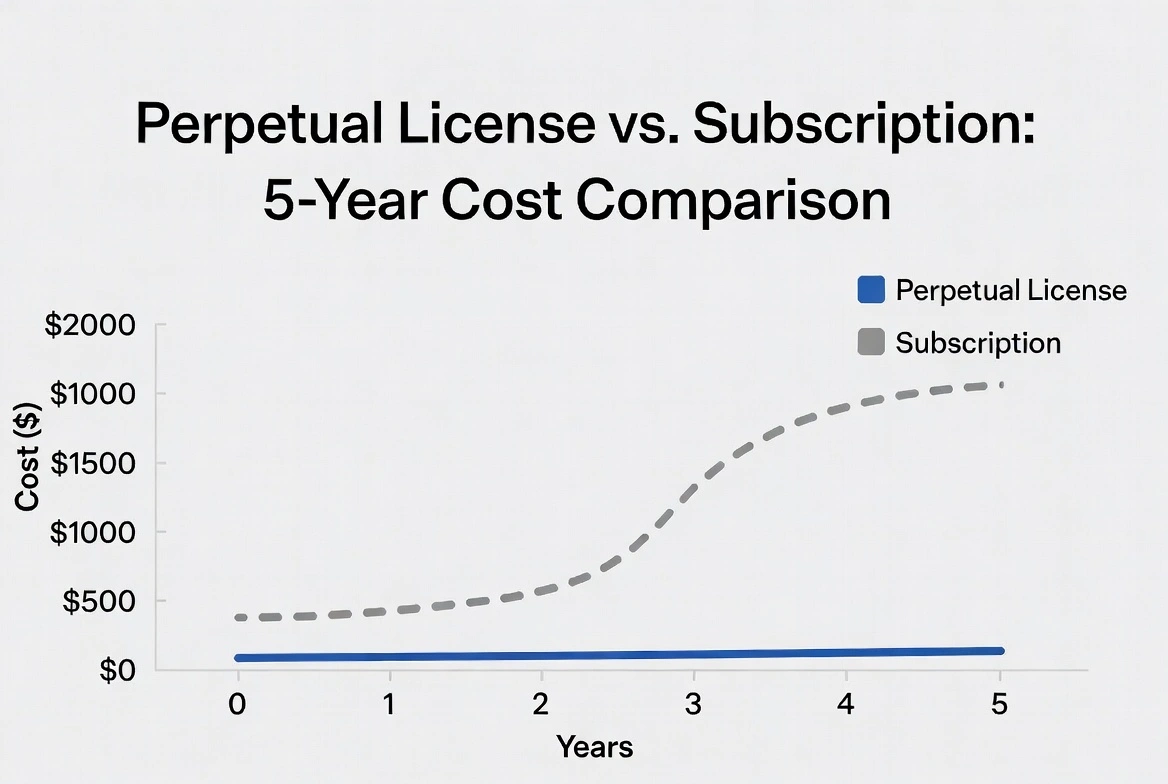
Microsoft 365 Personal costs $69.99/year, meaning you'll pay $350 over 5 years just to use Word, Excel, and PowerPoint. One-time purchase alternatives let you:
- Pay once and own forever with no hidden costs
- Save hundreds of dollars in the long run
- Keep using software even without internet
- Avoid unexpected price increases
Top 5 Office Alternatives Under $50
Microsoft Office 2021 Professional Plus
$499.99
$48.88
The smartest choice: get the original Microsoft Office with a perpetual license. Includes Word, Excel, PowerPoint, Outlook, Access, and Publisher. 100% compatible with all .docx, .xlsx, .pptx formats.
Apps Included:
Benefits:
- ✓ Genuine perpetual license
- ✓ No monthly subscription
- ✓ Security updates included
LibreOffice
FREE
Free and open-source office suite. Includes Writer (Word), Calc (Excel), Impress (PowerPoint), and more. Excellent compatibility with Microsoft Office formats.
Pros:
- ✓ Completely free
- ✓ Cross-platform (Windows, Mac, Linux)
- ✓ No ads or tracking
Cons:
- ✗ Less modern interface
- ✗ Imperfect macro compatibility
WPS Office
Pro Version
$29.99
Popular alternative with Microsoft Office-like interface. Free version includes ads, but the Pro version (one-time payment) removes them and adds premium features.
Pros:
- ✓ Very similar to MS Office interface
- ✓ Free version available
- ✓ Excellent on mobile devices
Cons:
- ✗ Ads in free version
- ✗ Account required for sync
OnlyOffice
Desktop Editors
FREE
Modern suite with excellent collaboration features. Desktop version is free with the best Microsoft format compatibility of all alternatives.
Pros:
- ✓ Best MS Office compatibility
- ✓ Modern, clean interface
- ✓ Real-time collaboration
Cons:
- ✗ Fewer features than full Office
- ✗ No database application
Polaris Office
Pro License
$39.99
Lightweight suite ideal for resource-limited devices. Works on Windows, Mac, Android, and iOS with cloud sync included.
Pros:
- ✓ Very light on resources
- ✓ Cross-platform sync
- ✓ PDF editing included
Cons:
- ✗ Limited advanced features
- ✗ Less well-known
Price Comparison Table
| Product | Price | Type | 5-Year Cost |
|---|---|---|---|
| Microsoft 365 Personal | $69.99/year | Subscription | $350 |
| Office 2021 Pro Plus (Key) | $48.88 | Perpetual | $48.88 |
| LibreOffice | Free | Perpetual | $0 |
| WPS Office Pro | $29.99 | Perpetual | $29.99 |
| OnlyOffice | Free | Perpetual | $0 |
Our Recommendation
For Most Users: Office 2021 Professional Plus
If you need perfect compatibility with Microsoft Office documents and don't want to adapt to a different interface, the best option is to buy an Office 2021 product key at a reduced price. You get the original Microsoft software with a perpetual license for a fraction of the official price.
93%
Savings vs M365
100%
Compatibility
∞
Unlimited Use
Frequently Asked Questions
Are cheap Office keys legal?
Yes, when purchased from authorized sellers. Keys come from legally redistributed volume licenses. Verify the seller offers activation guarantee.
Can I use Office 2021 without internet?
Absolutely. Office 2021 is a desktop version that works completely offline after initial activation. Perfect for users without constant internet.
What's the difference between Office 2021 and Microsoft 365?
Office 2021 is a one-time payment with fixed features. Microsoft 365 is subscription with constant updates and cloud storage. For basic use, Office 2021 is sufficient.
Conclusion
You don't need to pay eternal subscriptions for professional office software. Whether you choose a discounted Office 2021 key, free LibreOffice, or any other alternative, you can save hundreds of dollars while getting all the features you need for documents, spreadsheets, and presentations.